Dyslexia writing support that helps you write it once and get it right.
DyslexiaWrite helps you get the words out of your head and onto the page — then fixes the spelling, grammar and phrasing that regular tools miss, including the errors that are actually correct words. Built for work emails, essays, reports and applications.
Add to Chrome — works in Gmail, Outlook, Slack and Teams, plus the web editor built in. Eligible for Access to Work funding.
"I wanted too talk too my friend about are homework becuse i didnt understand it and it was really hard for me to no what to do."
"I wanted to talk to my friend about our homework because I didn't understand it and it was really hard for me to know what to do."
See what DyslexiaWrite can do
Two ways in. Pick yours.
I'm buying it for myself
You're writing at work or studying, and the spellcheck built into everything else keeps failing you — it doesn't recognise your attempts, it flags things that are fine, and it never explains why. DyslexiaWrite reads what you meant, not just what you typed. Dictate, draft messily, then tidy it up in one pass. Homophones caught. Sentences untangled. Read-aloud so you can hear whether it lands.
- Phonetic spelling correction — type it how it sounds, get the right word
- Catches "their/there", "form/from" and other errors spellcheck approves
- Text-to-speech proofreading with dyslexia-friendly fonts and spacing
- Works everywhere you already write — no copy-pasting into a separate app
I'm funding it for someone else
Whether you're an employer sorting reasonable adjustments, a disability lead spending an Access to Work award, or an inclusion/SEN lead kitting out a department — you need something that actually gets used, plus paperwork that goes through without three rounds of emails. We do quotes, invoices, site licences and Access to Work-ready documentation. No procurement theatre.
- Access to Work quotes turned around in one working day
- School and college site licences, per-pupil or unlimited
- Invoice or PO — no card needed, no per-seat admin
- Rollout guide and a 20-minute onboarding session for staff
Not sure which applies to you?
Most people start free, find it helps, then ask their employer or university to fund it. We'll give you the quote and the wording to send them.

Trusted by schools across the UK
Supporting neurodiverse staff in the workplace
Security scanned & source verified

Listed on AlternativeTo
Dyslexia writing
Dyslexia writing is hard for reasons that have nothing to do with effort or intelligence — it comes down to how the brain handles phonology, working memory and sequencing while putting words on a page. That shows up as spelling that follows sound rather than convention, letters and whole words swapped or dropped mid-sentence, and losing the thread of what you meant to say while you're still forming it. Standard spellcheckers are built to catch typos, not these patterns, so dyslexic writing often gets flagged as careless when it isn't.
DyslexiaWrite is built around those patterns specifically: it catches phonetic misspellings and real-word errors that regular spellcheck misses, and helps you simplify and rewrite sentences without losing what you meant to say. Read more in our guide to dyslexia writing.
How DyslexiaWrite works
You write or paste text into the editor, and DyslexiaWrite checks it in real time for the spelling and grammar mistakes dyslexic writers make most often — reversed letters, homophones, and missed words. Select any sentence to get a simpler, clearer, or more confident rewrite in one click. When you'd rather speak than type, dictate instead; when you'd rather listen than read, have any document read back to you with each word highlighted as it's spoken.
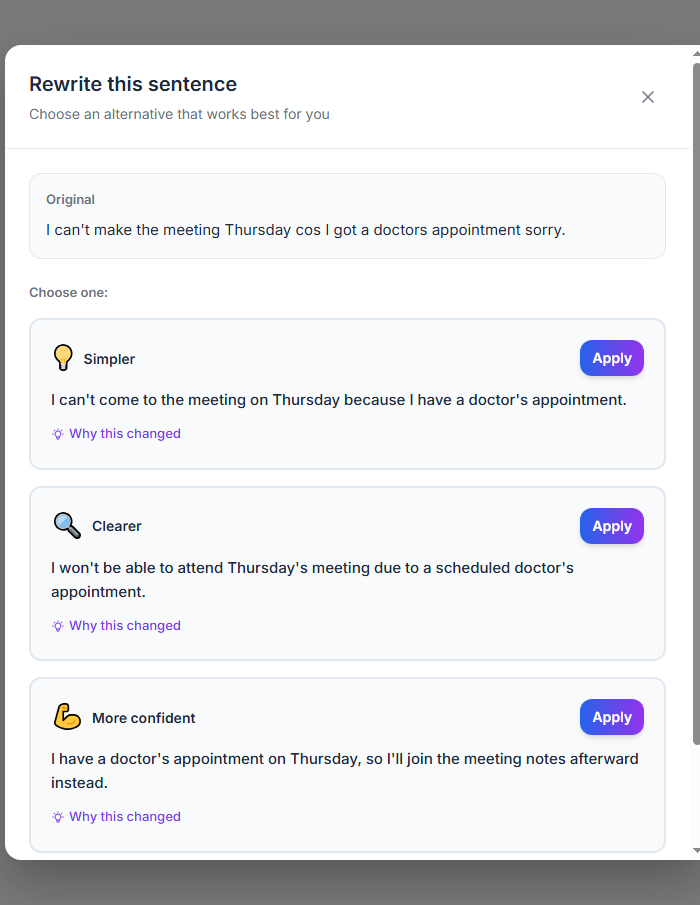
Three ways to say it, one click to apply
Select any sentence and DyslexiaWrite offers three real alternatives — Simpler, Clearer, or More confident — each with a plain-English note on why it changed. No grammar jargon, just a version that actually sounds like you.
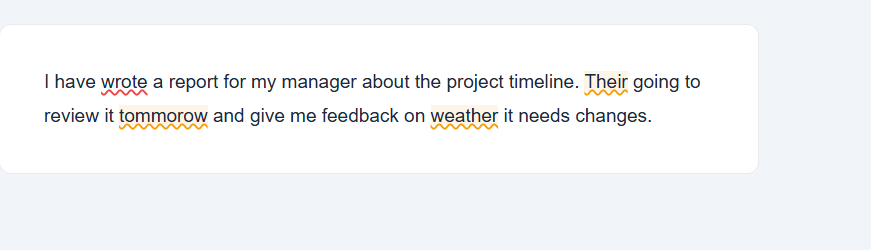
Catches the mistakes dyslexic writers make most
Standard spellcheckers miss reversed letters and homophones like their/there or weather/whether. DyslexiaWrite catches them specifically, underlines them right where they happen, and explains the fix in plain language.
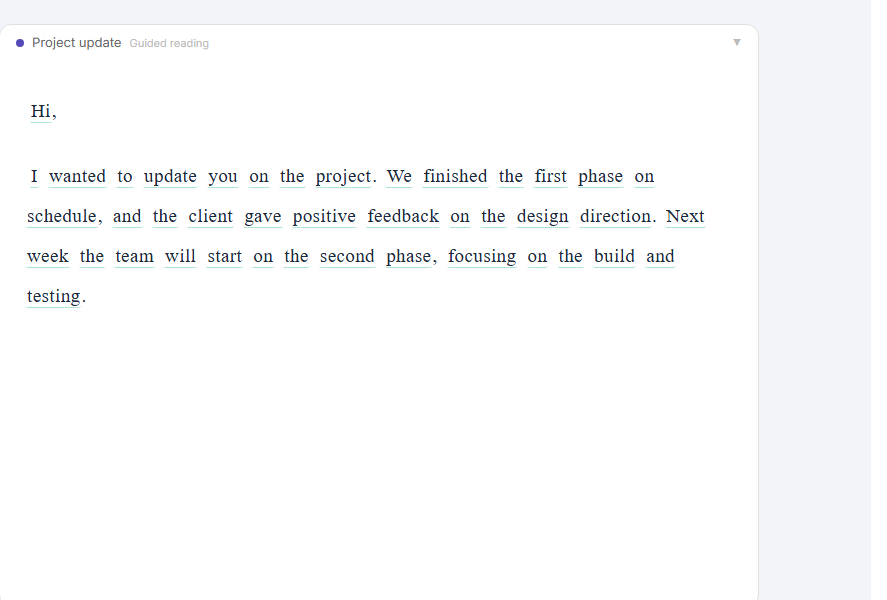
Reading modes built for how your brain reads
Clean mode strips away distractions. Guided mode focuses your eyes line by line. Supported mode adds a reading ruler, colour tint, and full audio. Switch between them any time — there's no single 'right' way to read.
An AI mentor that asks before it helps
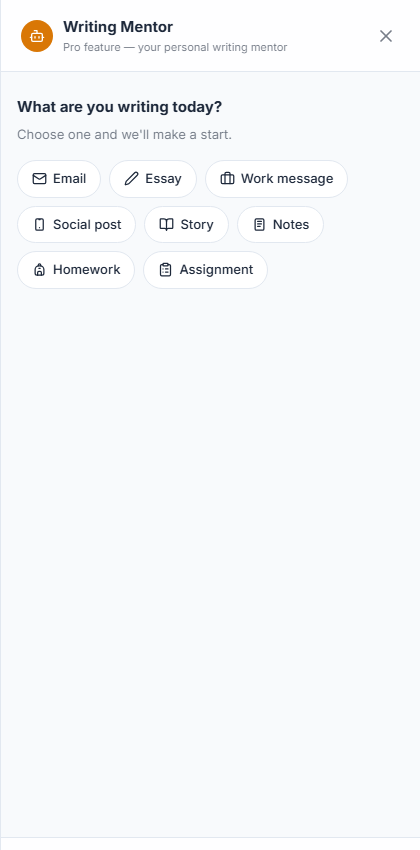
Instead of guessing, the Writing Mentor asks what you're writing and who it's for, then gives suggestions tailored to that — an email reads differently to an essay, and it treats them that way.
Already using something else?
Honest, factual comparisons — including where the other tool wins.
Funding and compatibility questions
Is DyslexiaWrite funded by Access to Work?
Yes. DyslexiaWrite is assistive software that can be funded in full through an Access to Work grant for employed and self-employed adults in the UK — you pay nothing. Once your Access to Work assessment recommends dyslexia writing support and your grant is approved, send us your Access to Work reference number and we'll set up your account and invoice the DWP directly, so there's no paperwork on your end. Employers, disability leads and SENCOs can also buy multi-seat licences directly for a team or school. Email support@dyslexiawrite.com for a quote, help with your application, or a free trial before you apply.
Does DyslexiaWrite work with Microsoft Word and Google Docs?
It depends where you're writing. DyslexiaWrite works inside Gmail, Google Docs, Outlook on the web, Slack and Microsoft Teams through our Chrome extension, plus its own built-in web editor — no need to copy text into a separate app for any of those. It doesn't yet have a native add-in for the Microsoft Word desktop app; if you write mainly in desktop Word, paste your text into the DyslexiaWrite editor to get the same corrections. The web editor works in any modern browser on Windows, Mac, iOS and Android.
Who DyslexiaWrite is for
DyslexiaWrite is built for two groups: adults who need to write confidently at work, and students who need to keep up with reading and writing at school, college, or university.
For adults writing at work
At work, DyslexiaWrite helps you write emails, reports, and messages without worrying about spelling or grammar mistakes standing out. It works inside the tools you already use, and — for UK employees — is fundable through the government's Access to Work scheme.
For students and university writers
For students, DyslexiaWrite supports essays, coursework, and exam preparation with reading modes, a vocabulary builder, and lesson capture tools. Schools and colleges can license it site-wide, with a teacher dashboard and no student writing stored.
Getting DyslexiaWrite funded through Access to Work
If you're an employee in the UK, DyslexiaWrite can be funded in full through the government's Access to Work scheme — most applicants pay nothing themselves.
Am I eligible?
If you're employed or self-employed in the UK, have dyslexia, and it affects your work, you can apply for an Access to Work grant. The grant can cover the full cost of DyslexiaWrite plus training. You apply directly on GOV.UK — you don't need a diagnosis report in every case, and your employer doesn't pay.
How to name DyslexiaWrite on your application
When you speak to your Access to Work assessor, mention DyslexiaWrite by name and explain that you've already tried it — assessors are more likely to recommend a tool you have hands-on experience with. If they recommend a different product, you can still request DyslexiaWrite instead; you have the right to choose the tool that works best for you.
School and college site licences
DyslexiaWrite offers whole-school and college site licences, priced by number of students, with a teacher dashboard, child-safe copy with no grades or red marks, and GDPR-compliant EU data hosting. Book a demo with your SENCO or inclusion lead to see it in your setting.
See school and college pricing →What Dyslexic Writers Say
Real feedback from writers who understand the struggle — and have found relief.
"Finally, a writing tool that doesn't make me feel stupid. The grammar check catches my 'there/their' mistakes without explaining passive voice or whatever."
"The sentence rewriting feature is a game-changer. I can see 3 ways to say something and just pick the one that sounds right. No more staring at the screen for 10 minutes."
"I love that it asks 'who are you writing for?' before giving tips. Every other tool just throws grammar rules at me. This one actually helps."
"The read-aloud feature with sentence highlighting helps me catch mistakes I'd never see. It's like having someone proofread for me."
"I can finally write work emails without anxiety. The 'more confident' rewrite option makes me sound professional without trying to use big words."
"Best part? It tracks my progress and shows I'm improving. That motivation keeps me writing instead of avoiding it like I used to."
Ready to write with confidence?
Join thousands of dyslexic writers who are writing better, faster, and with more confidence.
Waiting on Access to Work funding? Don't lose your spot in the queue.
Get our free guide to the Access to Work assessment process — plus a heads-up when you're ready to start your trial.
Access to Work aims to decide within 25 working days — but current DWP-reported backlogs mean many applicants are waiting several months for a decision. That's a long time to sit on a “yes” with no plan.
While you wait, we'll send you:
- A step-by-step breakdown of the Access to Work application for assistive software
- The exact wording that speeds up approval for writing tools like DyslexiaWrite
- A funding request template you can hand to your employer, SENCO, or Access to Work assessor
- A check-in email in a few weeks with tips on chasing your application if you haven't heard back
No spam, no sales calls. Just what you need to get funded and get started.